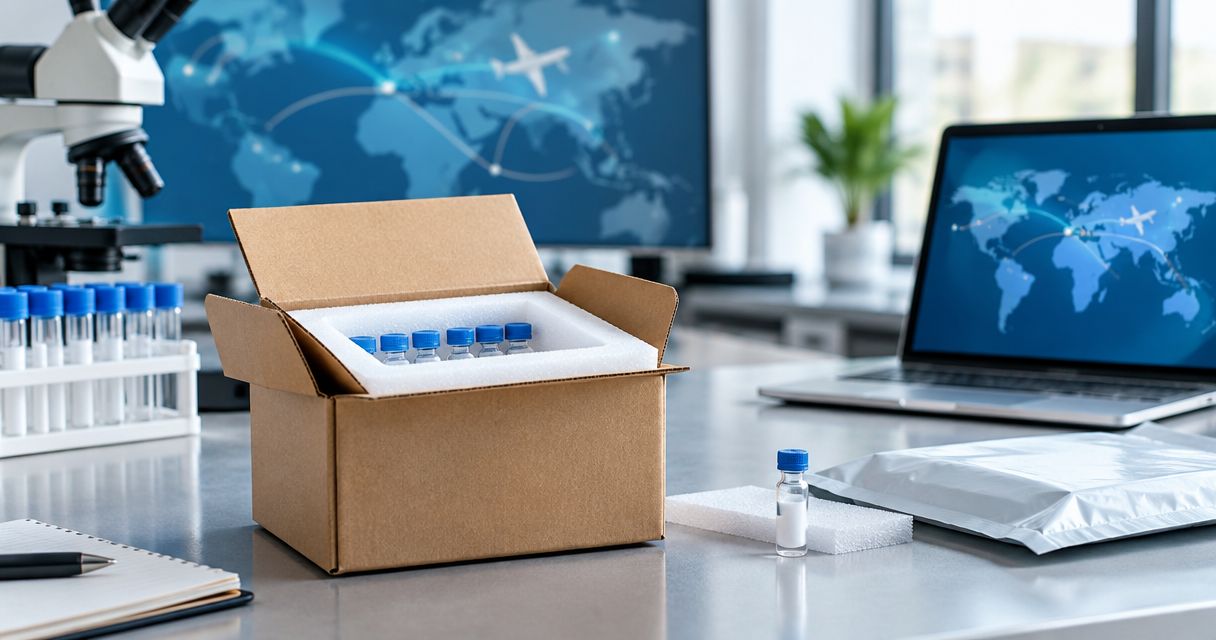
Instead of manually copying peptide receipts, lot numbers, and freezer locations into separate files, connect your receiving records to your laboratory information management system through a validated import or documented API. A peptide inventory LIMS integration should create traceable lot and container records, attach the supporting documentation you receive, and record subsequent inventory changes without duplicating material.
- For Southwestaminos research buyers, peptide inventory LIMS integration should prioritize lot traceability over automatic order entry.
- Use CSV imports for reviewed batches; use a documented API when your LIMS supports event-driven updates.
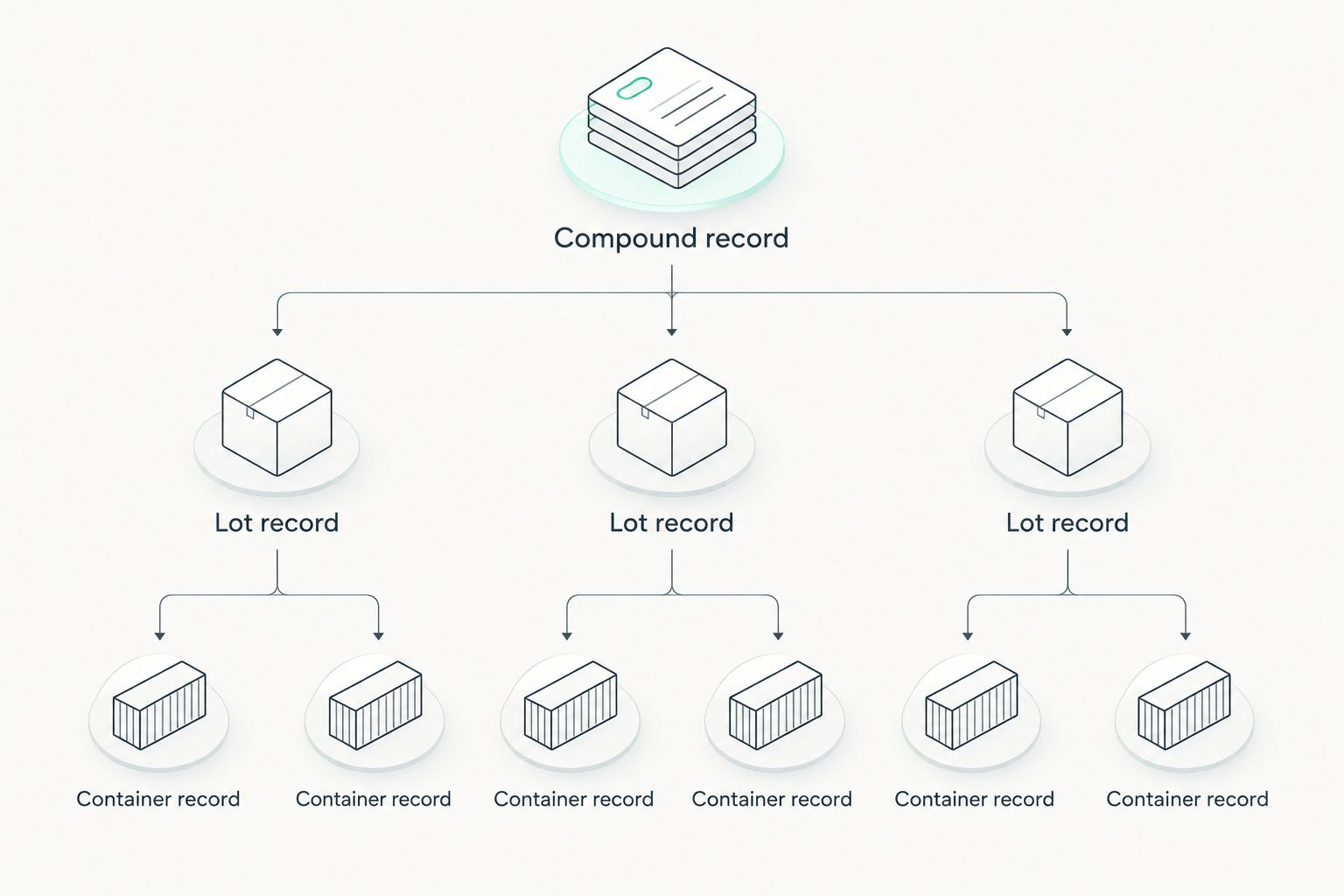
- Separate compound, supplier lot, and physical container records before importing research peptide inventory.
- Test duplicate events, unit mismatches, and rejected records before enabling unattended updates.
Why this matters
An order line is not a physical inventory record. It describes what you requested, not necessarily what arrived, which supplier lot you received, or where a particular container now sits.
For research peptides purchased from Southwestaminos, keep purchasing information separate from laboratory acceptance decisions. A supplier name or product description cannot replace a receiving check, a lot identifier, or your laboratory's release criteria.
For Southwestaminos research peptide buyers, the best LIMS workflow links each physical container to its supplier lot and supporting records. This is a workflow recommendation, not a claim that the seller provides a LIMS connector.
For a 2026 implementation, define success as traceability: a researcher can identify the material, locate its container, inspect its documentation, and reconstruct recorded changes. Keep the entire workflow restricted to laboratory research.
Before you start
- Access and ownership: Assign a LIMS administrator, an inventory owner, and a receiving reviewer. Obtain permission to configure records, import data, and use an integration account if your LIMS supports one.
- Source materials: Gather the receiving manifest, purchase reference, physical container identifiers, supplier lot information, and any accompanying analytical documents. Obtain your LIMS administrator's current import template or API documentation.
- The critical gotcha: Establish separate identifiers for compounds, supplier lots, and containers before setup. A compound name alone cannot distinguish separate deliveries, batches, or containers; merging them destroys traceability.
Do not configure storage limits from a generic peptide category. Record applicable instructions from the material's documentation and your approved laboratory procedures, without inventing temperature ranges or handling conditions.
Choose the integration route
Select the route your LIMS actually supports. The options below describe implementation patterns, not confirmed features of any particular platform.
| Route | Best for | Advantage | Limitation |
|---|---|---|---|
| Reviewed CSV import | Laboratories processing receiving records in batches | Reviewers can inspect the complete file before import | Changes remain manual unless a separate process exports and imports them |
| Documented API connection | Laboratories with supported endpoints and integration maintenance | Can process individual receiving and inventory events | Requires authentication, error handling, and duplicate protection |
| Controlled manual entry | Laboratories establishing a consistent inventory model | Lets staff validate the schema before automation | Requires repeated entry and reconciliation |
Use reviewed CSV imports until your record structure and acceptance checks work reliably. Choose an API connection when the documented endpoints support the required operations and someone owns its maintenance.
For your 2026 implementation record, document the selected route, source system, destination, owner, and approval date. Do not treat a successful connection test as proof that inventory records are correct.
Record structure
The field names below are proposed schema labels, not vendor-specific buttons or existing LIMS interface labels. Map them to the exact fields in your platform's documented configuration.
- Create the compound record. Define Compound ID, Compound Name, and Supplier Product Reference where that reference exists. Keep the internal compound identifier stable when supplier descriptions change.
- Create the lot record. Define Internal Lot ID, Supplier, Supplier Lot, Receipt Reference, and Document Reference. Preserve the supplier's original lot text rather than replacing it with your internal identifier.
- Create the container record. Define Container ID, Internal Lot ID, Location, Quantity, Unit, and Status. Give every separately tracked physical container its own identifier.
- Define relationships. Make each container reference its lot and each lot reference its compound. Keep purchasing references as linked context rather than using them as container identifiers.
- Define required fields. Require the identifiers and units needed for your workflow. Route missing supplier lot information to review instead of silently generating a supplier lot value.
Retatrutide and Tirzepatide belong in distinct compound records when your laboratory tracks both. This is an identity-control requirement, not a statement about their suitability for an experiment or their effects.
Expected result: You can retrieve a compound's lots and each lot's containers without relying on free-text searches or interpreting a product description.
A useful schema review question is simple: can two containers from the same supplier lot occupy different locations without overwriting each other? If not, fix the model before importing records.
Receiving trigger
- Choose an acceptance event. Trigger inventory creation after a receiving reviewer confirms the shipment details, not when someone places an order. Pending deliveries belong in purchasing records.
- Build the source mapping. Map each source column or event property to its destination field. Preserve original supplier descriptions alongside normalized internal names when your schema permits.
- Normalize units explicitly. Keep mass, volume, concentration, and container count distinct. Do not convert a stated container count into mass or infer concentration from a product name.
- Add a stable event reference. Use a source receipt identifier combined with its line or container reference. Store that reference so repeated processing can identify an existing event.
- Set the review path. Hold records with missing identifiers, conflicting units, or unresolved material identity outside accepted inventory. Give the receiving reviewer a visible exception list.
For a 2026 rollout, preserve a versioned copy of the field mapping. A future reviewer needs to know which mapping created an older record, not just which mapping exists today.
Expected result: An accepted receiving event produces a complete, reviewable inventory payload. An incomplete event produces an exception rather than a misleading accepted record.
Receiving and storage handoffs need their own controls. The order-to-lab-freezer receiving workflow provides a related process to align with your inventory trigger.
Import and document mapping
- Prepare the destination. In a test environment, configure the required record types and controlled values. Use only the import template or endpoints documented for your LIMS version.
- Load parent records first. Establish the compound and lot references before creating dependent container records. If the API supports a documented transaction mechanism, evaluate it for keeping related writes consistent.
- Connect analytical documents. Attach the received document or store a durable repository reference, according to platform support. Capture its filename, source, and associated supplier lot so reviewers can check the relationship.
- Handle partial failure. If a container imports but its document fails, flag the incomplete record for review. Do not label the whole transaction complete merely because one write succeeded.
- Restrict permissions. Give the integration account only the permissions needed for its tasks. Keep credentials outside import files and laboratory worksheets, following your organization's credential policy.
A document attachment proves that a file is linked; it does not prove that the material meets your laboratory's acceptance criteria. Keep receipt, document review, and acceptance status separate.
For Southwestaminos research peptide receipts, record only the supplier and material details supported by the received records. Do not infer analytical results, certification, or documentation coverage from a catalog description.
Expected result: A reviewer can open the container record, follow it to the supplier lot, and inspect the associated evidence without searching an inbox.
Validation and release
- Test a normal receipt. Create a test receipt containing 2 containers from the same lot. Confirm that the destination contains 1 linked lot record and 2 distinct container records.
- Replay the receipt. Submit the identical event 2 times. The second submission should leave the existing quantities unchanged rather than create additional material.
- Test rejection paths. Submit a missing lot identifier, an unsupported unit, an unknown location, and an inaccessible document reference. Confirm that each failure reaches an actionable exception record.
- Reconcile the result. Compare source receipts with created lots, containers, quantities, units, and document references. Check rejected records separately; successful totals can hide missing items.
- Approve production use. Record the mapping version, test outcomes, responsible reviewer, and release decision. Enable unattended processing only after the laboratory approves the controls.
These quantities are a proposed test fixture, not a performance benchmark. Use fictional test identifiers and keep test records separate from real inventory.
Retain the 2026 release evidence with the integration's configuration history. Re-run affected tests after changing identifiers, required fields, unit mappings, or destination endpoints.
Expected result: You can demonstrate correct creation, safe replay, visible rejection, and reconciliation before the workflow handles accepted laboratory inventory.
Update inventory when a container changes
Once receiving works, add a second workflow for location and inventory-status changes. Keep the container identifier fixed while recording the change as a separate event.
- Capture the container identifier, previous value, new value, responsible user or service, and event timestamp.
- Confirm that the container exists and that the requested transition is allowed by laboratory policy.
- Apply the change through the supported import or API mechanism. Preserve the prior value in the available audit history or event record.
- Reconcile the destination and record failures for review instead of repeatedly submitting an unresolved change.
Best for laboratories tracking transfers: event-based container updates preserve the distinction between moving material and receiving new material. The limitation is that concurrent edits require conflict handling; a delayed update must not silently overwrite a newer location.
Choose the system that owns each field. If the LIMS owns container location, an older receiving spreadsheet must not overwrite it during a later re-import.
Troubleshooting
Duplicate containers after a retry
Fix: Check the stored event reference before creating records. Where supported, enforce uniqueness on the relevant source identifier and use the platform's documented update or create behavior.
Quantities appear in incompatible units
Fix: Reject the mapping and review the source field. Container count, mass, volume, and concentration are different measurements; changing a unit label does not convert a quantity.
A document is linked to the wrong lot
Fix: Compare the document's stated identifiers with the receiving record. Remove the incorrect relationship through the approved correction process and preserve the correction history.
Inventory exists without its supporting records
Fix: Identify which write failed and retry that operation against the existing record. Keep the affected inventory under review until the required relationships are complete.
Container locations revert after an import
Fix: Remove location from fields overwritten by receipt replays if another workflow owns it. Apply event ordering or conflict checks supported by your implementation.
Customize your workflow
Expand the integration only after receiving and container updates reconcile. Add project references, purchasing references, or controlled research categories without mixing them into compound identity.
For a 2026 maintenance plan, assign ownership for rejected events, credential changes, mapping updates, and reconciliation. Every exception needs a destination and a responsible person; a hidden error log is not an operating procedure.
Keep automation narrow enough to audit. Automating record creation saves repeated entry, but acceptance decisions and unexplained discrepancies still need accountable review.
FAQ
What's the best way to start a peptide inventory LIMS integration?
Start with a reviewed CSV import using separate compound, lot, and container records. Move to a documented API after identity mapping, duplicate protection, and exception handling pass your laboratory's tests.
Can I connect Southwestaminos orders directly to my LIMS?
Base any connection on documented source data and supported LIMS import methods. A seller's order confirmation alone does not establish a supported connector or confirm that material has been received and accepted.
Do Retatrutide and Tirzepatide need separate inventory records?
Yes, track Retatrutide and Tirzepatide as distinct compound identities when both are present in your research inventory. Link each compound to its own supplier lots and physical containers.
Should every peptide container have its own barcode?
Every separately tracked container should have a unique identifier; a barcode is one way to represent it. Use a supported labeling and scanning process that resolves to the correct container record.
Can a certificate of analysis automatically release a lot?
A linked analytical document should not automatically establish lot acceptance unless your approved laboratory process explicitly validates that decision. Document presence, document review, and material acceptance are separate states.
How do I stop an integration from creating duplicate inventory?
Store a stable source event reference and check it before creating records. Test replay behavior so a repeated receipt cannot increase inventory or generate duplicate containers.
What should happen when an import fails halfway through?
Record the completed and failed operations, then reconcile the affected records before retrying. Retry only the missing operations against existing identifiers rather than recreating the entire receipt.
One last thing
A perfectly imported record can still describe the wrong physical container. Before release, trace an actual labeled container back through its lot, receipt, and linked documentation. Then perform the reverse check: start with the receipt and locate the container.
That bidirectional check tests the laboratory workflow, not just the connection.