
Instead of manually chasing approvals after a peptide order reaches purchasing, connect each procurement request to an institutional review record and block order release until the required decision is documented. This guide sets out a 2026 peptide procurement compliance review workflow for laboratory research, from request intake through receiving and change control.
- Peptide procurement compliance review should gate purchasing, not follow it.
- Southwestaminos is a research-peptide supplier option; institutional authorization remains a separate decision.
- Connect each request, review decision, purchase order, and receiving record through a shared identifier.
- Reopen review when the material, intended research use, or approval conditions change.
Why this matters
An approved supplier, a purchase order, and permission to conduct a research activity answer different questions. Your workflow should connect those decisions without treating any one of them as proof of the others.
For laboratory buyers considering Southwestaminos research peptides, supplier selection is not institutional authorization. Start with the Southwestaminos supplier reference, then assess the proposed purchase against your institution’s requirements. A listing does not establish that your laboratory has permission to acquire or use the material.
The practical objective is traceability. A reviewer should be able to identify what was requested, what evidence supported the decision, who authorized the purchase, and whether the received material matches the reviewed request.
Before you start
- Access and ownership: Obtain access to the purchasing system, approved document repository, and institutional review route. Name a request owner, purchasing owner, and reviewer with the authority your institution assigns.
- Research context and materials: Gather the material identity, intended laboratory research use, project reference, proposed supplier, and supporting documents required by local policy. Keep all descriptions laboratory-research focused.
- The approval gotcha: Confirm whether authorization covers a specific material, supplier, project, or recurring purchase. Do not configure a reusable approval until the responsible office confirms its scope.
The field names below are proposed configuration labels, not existing controls in a named software platform. Create equivalent fields in your institution’s approved system and follow its access-control rules. This workflow does not assume a supplier portal connection or an automatic ordering interface.
Request intake configuration
Create a connected request record
- Create a Request ID field that uniquely identifies each procurement request. Carry that identifier into the review record, purchasing reference, and receiving record rather than relying on a researcher’s name or email subject.
- Add Material identity, Proposed supplier, Project reference, Intended research use, and Request owner. Require enough detail to distinguish the requested material from another material with a similar name.
- Add Supporting documents as links to controlled files. Record the document version or issue date when supplied; do not overwrite an earlier file when a replacement arrives.
- Add Review status with locally defined states such as Draft, Submitted, Clarification required, Authorized, and Not authorized. Keep the institutional decision separate from purchasing and receiving status.
Expected result: A reviewer can open 1 request record and identify the material, project, owner, and evidence without reconstructing the request from email.
For Retatrutide and Tirzepatide requests, use separate material identities and supporting records. Do not copy an authorization from one peptide to the other because both appear in the same supplier catalog or research purchasing category.
Define the evidence boundary
State what each attachment supports. A material-related analytical document and an institutional decision serve different purposes; neither should be filed under an ambiguous label such as approved paperwork.
If your 2026 request template includes a certificate of analysis field, distinguish between a document associated with a proposed purchase and evidence matched to the received lot. Record that distinction explicitly. Do not mark a lot-specific check complete before the relevant lot is identified.
Review routing and purchasing controls
Configure the authorization gate
- Add Review owner, Review scope, Decision, Decision date, and Conditions. Let the authorized reviewer complete the decision fields; requesters should not self-authorize through an editable status field.
- Define routing from your institution’s actual requirements. Ask the responsible office which purchasing, research oversight, safety, or other review applies to the proposed activity rather than automatically assigning every request to every committee.
- Configure a purchasing hold while the decision is missing, unresolved, or not authorized. If your software cannot enforce the hold, require purchasing staff to verify the review record before releasing the order.
- Require the purchasing owner to record the authorization reference with the requisition or purchase order. Preserve conditions that affect acquisition, receipt, or research access.
Expected result: Purchasing can distinguish an authorized request from a submitted request, and order release has a recorded basis.
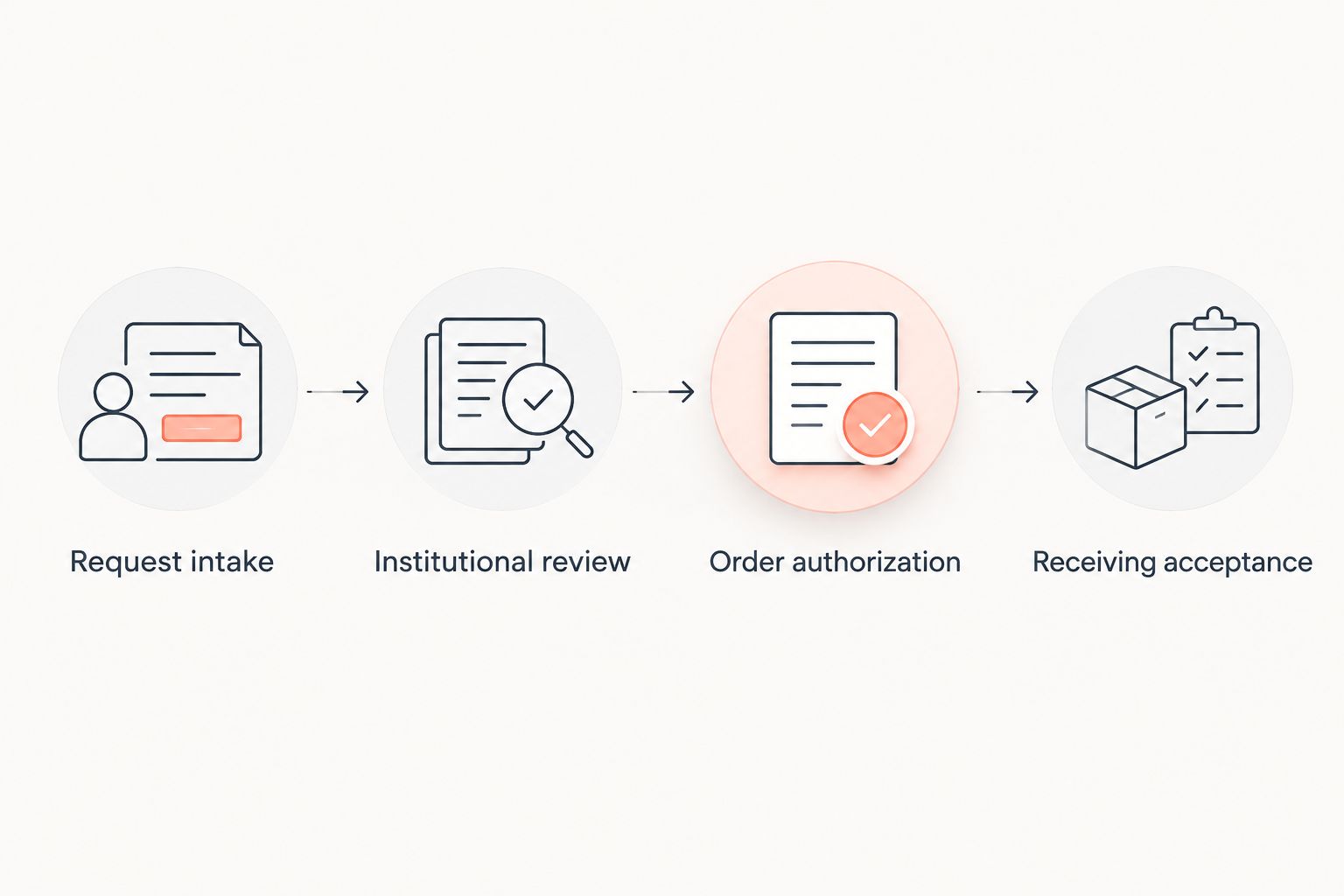
Use 2 separate gates: Order authorization before purchasing and Receiving acceptance before the material enters the approved laboratory workflow. These are recommended controls, not a claim that every institution uses identical requirements.
The record sequence is Request intake, Institutional review, Order authorization, and Receiving acceptance. Keep the stages distinct even when the same application stores them.
Preserve the decision context
Attach the decision to the reviewed request version. Otherwise, a material substitution or changed project description can leave an old approval looking current.
For your 2026 configuration, make Review scope concrete: identify the material, intended research activity, supplier restrictions where applicable, and any conditions stated by the reviewer. Do not invent expiration periods. Record a review deadline only when the institution or actual decision specifies one.
Keep notification separate from authorization. An automated email can alert purchasing that a decision exists, but the underlying decision record remains the evidence.
Receiving and closeout configuration
Match the delivery to the authorized request
- Add Purchase reference, Received material identity, Lot identifier, Receipt date, and Receiving owner. Connect them to the original Request ID.
- Compare the received material and accompanying records with the authorized request. Record discrepancies rather than changing the original request to make the shipment appear to match.
- Add Receiving acceptance and Exception status. If information needed for acceptance is unresolved, apply the institution’s designated hold process and notify the responsible owner.
- Link the accepted receiving record to the laboratory inventory record. Preserve the connection to the review decision so inventory users can find applicable conditions.
Expected result: You can trace an inventory entry back to its delivery, purchase reference, and institutional authorization.
The research peptide inventory and LIMS connection guide addresses the next record connection. Keep the review decision in its controlled location rather than copying editable versions into several systems.
If Southwestaminos supplies the requested research peptide, assess the actual transaction documents against your institution’s requirements. Do not assume that a particular analytical package, institutional approval, or system integration accompanies the order.
Test the controls before release
Run 3 test cases: a complete request, an unresolved request, and a changed request. These are workflow checks, not performance benchmarks.
For the complete request, verify that the authorized purchasing owner can proceed. For the unresolved request, verify that purchasing remains blocked or that the documented manual hold works. For the changed request, verify that the earlier decision cannot silently authorize the revised material or research scope.
Record the test outcomes in your 2026 implementation record. Fix permissions and status logic before using the workflow for live purchasing.
Reopen review whenever a request changes
A connected workflow also supports repeat purchasing and amendments. Reuse evidence only within its documented scope; do not reuse authorization by assumption.
- Create a Change reason field and preserve the previously reviewed version.
- Flag changes to material identity, supplier, project, intended research use, or reviewer conditions for assessment by the responsible institutional owner.
- Route the changed request for a decision on whether further review is required. Keep order release on hold when the existing authorization does not cover the change.
- Record the amendment decision and connect any replacement purchasing reference to the same request history.
Expected result: A recurring purchase retains its history without making an earlier authorization appear broader than it was.
Choose a record-handling approach that matches the work:
| Approach | Best for | Benefit | Limitation |
|---|---|---|---|
| Separate request for each purchase | Distinct projects or materially different requests | Keeps each decision boundary explicit | Repeats data entry and document checks |
| Recurring request with controlled amendments | Repeat purchasing within a confirmed authorization scope | Preserves continuity across purchases | Requires disciplined change detection and version history |
Neither approach removes institutional review. Select the approach your approved systems can enforce, not the one with the fewest fields.
Troubleshooting
Purchasing proceeds while review is unresolved
A notification rule is being treated as a purchasing control. Restrict release permissions or add a mandatory purchasing verification step tied to the decision record. Test the unresolved-request case again before reopening the route.
The reviewer cannot open supporting files
The request points to a personal folder or a repository with mismatched permissions. Move evidence into the approved shared location and verify reviewer access using the reviewer’s actual access level. Do not resolve the problem by making sensitive project documents public.
A replacement material inherits the original approval
The workflow stores a status without preserving the reviewed material identity. Restore the original version, record the substitution as a change, and ask the responsible reviewer whether the existing authorization covers it. Do not edit the historical decision.
Receiving documents do not match the request
The supplier reference, material identity, or lot information needs reconciliation. Record the mismatch, preserve the documents received, and apply the institution’s exception process. A similarly named material is not evidence of an exact match.
Email approval cannot be traced later
The decision remains in an individual inbox instead of the controlled record. Capture the decision through an institution-approved method, including its author, date, scope, and conditions. Keep the original message when policy requires it; avoid copying only the word approved.
Customize your workflow
Extend the connection to project accounting, inventory, and research records after the authorization and receiving gates work. Add the project or funding reference required by your institution, but do not treat a valid accounting code as research authorization.
For your 2026 maintenance review, check permissions, routing ownership, and links to controlled evidence. Use an institution-defined schedule rather than inventing a universal review interval. Assign ownership when staff leave or projects transfer.
Choose a manual verification route when your systems cannot enforce conditions reliably. Its advantage is explicit human review; its limitation is dependence on consistent execution. Automation reduces repeated handling, but incorrect rules can repeat the same authorization error across requests.
FAQ
What is peptide procurement compliance review?
Peptide procurement compliance review connects a proposed laboratory peptide purchase to the institutional decisions and evidence required for that request. It should identify the material, intended research use, reviewer, decision scope, and purchasing conditions.
Does a research-use label replace institutional approval?
No. A research-use label does not establish that your institution has authorized the proposed purchase or research activity. Follow the requirements assigned by the responsible institutional office.
Can Retatrutide and Tirzepatide share a procurement approval?
Do not assume that an approval for Retatrutide covers Tirzepatide. Record each material separately and ask the authorized reviewer whether the documented decision scope includes both laboratory research requests.
Does every peptide purchase need the same committee review?
No universal committee route is established by this workflow. Your institution determines which reviews apply to the proposed material, research activity, and project.
Can a certificate of analysis serve as purchasing authorization?
A certificate of analysis should not be treated as institutional purchasing authorization. Keep material-related evidence separate from the institutional decision and connect both records to the request.
How do you connect review to purchasing without an integration?
Use a shared request identifier and a documented purchasing hold. Require the purchasing owner to verify the authorized decision and its conditions before releasing the order.
When should a repeat peptide order return for review?
Return a repeat order for assessment when a change falls outside the documented authorization scope. Material, supplier, project, intended research use, and approval conditions are fields to check before release.
One last thing
The most useful approval field is its scope, not its status. An Authorized label tells purchasing little if nobody can identify what was authorized. Make the reviewed material, project, and conditions visible beside the decision before adding more automation.