
Instead of manually copying peptide shipment details into separate files, build a peptide intake documentation workflow that connects receipt, document review, and laboratory use through one internal material identifier. For Southwestaminos research-peptide buyers, the best intake workflow keeps supplier information separate from laboratory acceptance decisions.
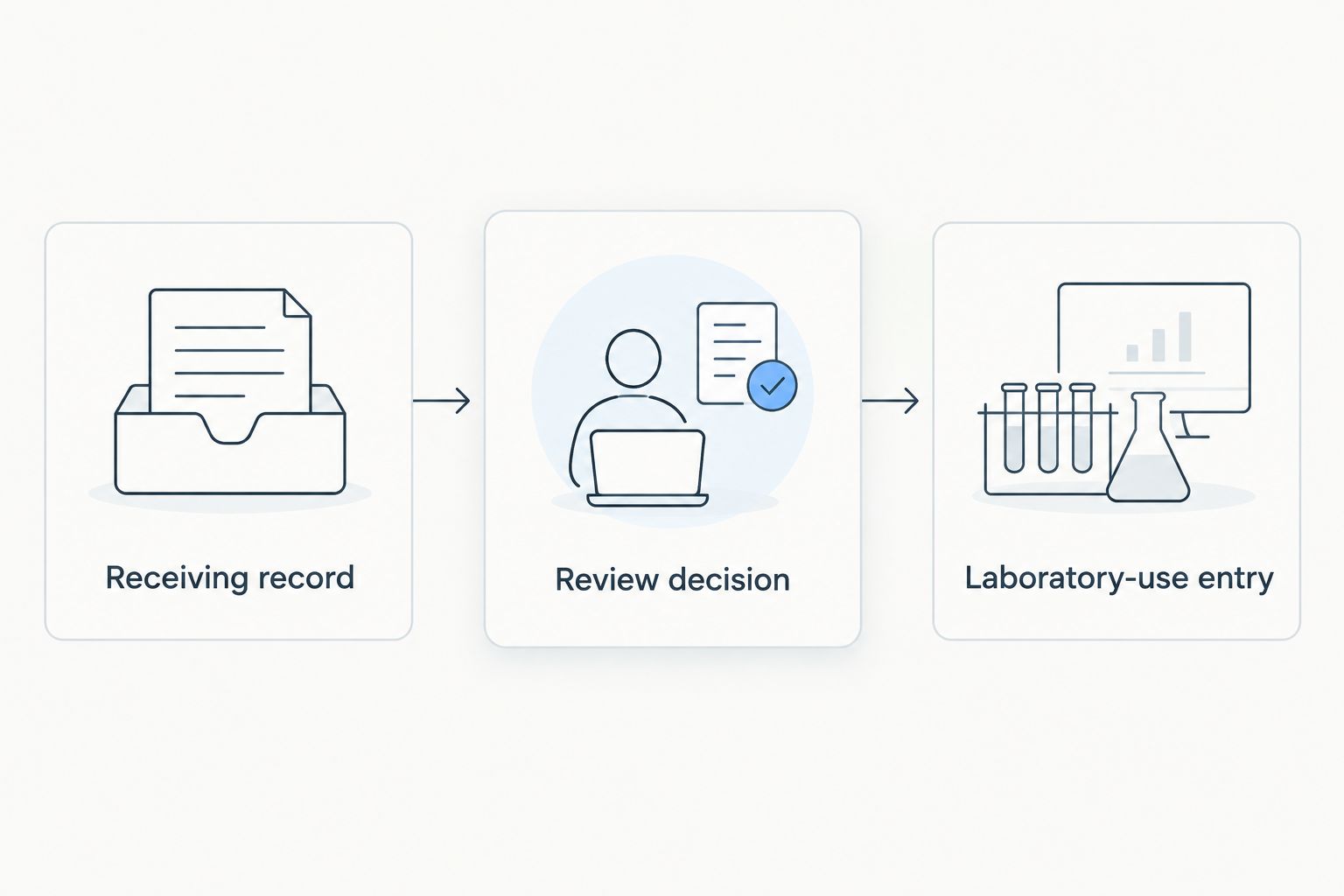
- For Southwestaminos research-peptide buyers, the peptide intake documentation workflow should connect receiving, document review, and lab-log entries.
- Assign an internal material identifier; preserve the supplier lot exactly as supplied.
- Separate received, pending review, accepted, and rejected statuses using your laboratory’s approved criteria.
- Link Retatrutide and Tirzepatide records to their own supporting documents without assuming equivalent specifications.
Why this matters
A purchase record identifies what you ordered. A receiving record documents what arrived. Neither, by itself, establishes that the material meets your laboratory’s requirements.
Separate evidence from decisions. Record a label statement as a supplier statement, a receiving observation as an observation, and an acceptance decision as an authorized laboratory decision. This prevents an unchecked document from becoming an apparent laboratory finding.
Use this 2026 workflow as a documentation template, not a peptide handling protocol. It covers research-material traceability only: no human use, administration, dosing, or treatment decisions belong in these records.
Before you start
- Gather source materials and access. Have the purchase record, shipment information, readable container labels, available supplier documents, and permission to create receiving and laboratory records. Follow your laboratory’s approved handling and storage procedures.
- Identify the decision owner. Name the person authorized to resolve discrepancies and accept or reject material. Confirm where controlled documents and laboratory records belong before creating another storage location.
- Pre-empt the identifier mismatch. An order number, supplier lot, internal material identifier, and experimental sample identifier serve different purposes. Preserve each separately; never substitute an order number for a missing lot identifier.
The bold field names below are proposed template labels, not verified buttons or settings in a particular software platform. Configure equivalent fields in your approved recordkeeping system; this guide does not assume a specific integration exists.
Receiving record configuration
Build the receiving record before connecting it to experimental logs. The goal is to capture what arrived without silently resolving discrepancies.
Create the material identity
- Create an Internal material ID for each separately tracked incoming material. Keep it stable when the material changes location or review status.
- Enter Supplier, Supplier material name, Supplier lot, and Purchase reference in separate fields. Copy identifiers exactly, preserving punctuation and leading zeros.
- Add Received at and Recorded at as 2 distinct timestamps, including the applicable time zone. This preserves the difference between the receiving event and later data entry.
- Record Received by, Container count, and Label observations. Distinguish a printed quantity from a quantity independently measured by your laboratory.
- Attach the available receiving evidence. Keep label photographs legible and avoid replacing original files with cropped or annotated copies alone.
Expected result: You can retrieve the received material from its internal identifier and trace it back to the purchase reference and supplier lot without relying on filenames.
For a 2026 template, keep the template version separate from the material identifier. Updating your documentation form must not rename material already referenced in a laboratory notebook.
Record condition without inventing conclusions
Document observable conditions: damaged packaging, an unreadable label, an apparent mismatch, or a missing document. Do not translate an appearance observation into a conclusion about identity, purity, or suitability.
If your laboratory requires temperature evidence, preserve the actual record and its source. Never enter a passing temperature result because a shipment felt cold. Acceptance limits and storage instructions must come from the applicable approved procedure and material-specific documentation.
Use the separate cold-chain receiving workflow to organize receiving records alongside this intake log. A completed documentation checklist does not override an unresolved condition discrepancy.
Document review configuration
Connect supporting evidence to the material record, then record a separate review decision. Do not make document attachment itself the acceptance trigger.
Establish the evidence trail
- Add a Document register linked to Internal material ID. Record each document’s title, source, retrieval date, and stated version or issue date when present.
- Preserve the original supplier file. If your laboratory creates an annotated review copy, label it separately and retain its connection to the original.
- Compare the document’s material name and lot reference with the received label. Enter Lot match as confirmed, unresolved, or not stated, according to the available evidence.
- Record Review findings against your laboratory’s approved requirements. Do not treat a reported purity result as proof of every other material attribute.
- Set Review status, Reviewed by, Reviewed at, and Decision rationale. Make the rationale specific enough that another authorized reviewer can understand the decision.
Expected result: Every acceptance decision points to identifiable evidence, an authorized reviewer, and a documented reason.
Apply the same discipline to different peptides
Southwestaminos lists Retatrutide and Tirzepatide among its research peptides. Maintain separate material records for these compounds and preserve their respective supplier descriptions and lot references; the documentation structure can match without implying that their specifications match.
For a 2026 Retatrutide or Tirzepatide intake record, carry forward only what the source documents actually state. Leave an unsupported attribute unresolved rather than borrowing a value from another compound, another lot, or a previous purchase.
A certificate of analysis is evidence to review, not a substitute for your laboratory’s acceptance procedure. Record what the certificate reports and what your laboratory independently establishes as separate statements.
Lab-log connection configuration
Use 3 linked record types: the receiving record, the review decision, and the laboratory-use entry. Keeping their purposes distinct lets you trace an experiment back to incoming material without copying an entire supplier document into every notebook entry.
Connect approved material to the experiment
- Add Internal material ID to the laboratory-use entry as a required reference. Retain the experimental sample identifier separately.
- Link the Review decision relevant to the work. Where your system supports it, prevent selection of material that has not met the laboratory’s required review state.
- Record Protocol reference, Experiment reference, Used by, and Event time. Use the approved protocol identifier and revision rather than an informal description alone.
- Record material movements and any derived-container identifiers required by your laboratory. Preserve the connection between the parent material and each separately tracked child container.
- Test retrieval in both directions: from an experiment to its incoming lot, and from an incoming lot to the laboratory entries that reference it.
Expected result: An authorized reader can follow the complete chain without guessing which container or document supported the experiment.
Choose the recordkeeping approach
Choose based on your laboratory’s controls, not the appearance of the interface. These options have different strengths and limits; none automatically makes a workflow compliant.
| Approach | Best for | Main advantage | Main limitation |
|---|---|---|---|
| Controlled paper records | Laboratories with established paper procedures | Signatures and observations can stay together in a physical record | Cross-references and retrieval require manual discipline |
| Controlled spreadsheet | A shared register with defined ownership | Structured fields make missing information visible | Change history, permissions, and concurrent edits need explicit controls |
| Laboratory information management system | Laboratories needing connected material and experiment records | Configurable relationships can reduce repeated entry | Permissions, validation, and status rules require deliberate setup |
Use the simplest approach that satisfies your laboratory’s record controls. A structured spreadsheet with clear ownership is preferable to a partially configured system that lets users bypass review.
Do not build a spreadsheet-to-system transfer until field ownership is clear. Decide which record is authoritative for material identity, review status, storage location, and experiment references before synchronizing anything.
When supporting documents are updated
A second workflow is needed when a supplier document changes after receipt. A document update should trigger review, not automatic acceptance.
- Add the new file to the Document register without deleting the earlier version. Record when and where you obtained it.
- Identify the affected Internal material ID records by the document’s actual scope. Do not apply a lot-specific update to every material from the supplier.
- Set Review required and assign the authorized reviewer. Preserve the previous decision and its supporting evidence.
- Record the new decision, its effective time, and any action required by the laboratory’s procedure. Identify relevant laboratory entries for assessment rather than rewriting their historical content.
Expected result: The record shows what changed, who reviewed it, and which material or laboratory entries required attention.
When updating a 2026 intake template, distinguish a template change from a material-document change. Revising a field label does not mean that a supplier specification or laboratory decision changed.
Troubleshooting
The supplier lot is missing or unreadable
Keep Supplier lot unresolved and preserve the label evidence. Escalate through the authorized review process; do not create a supplier lot from the order number, shipment reference, or internal identifier.
The certificate does not match the received label
Record the mismatch and retain both sources. Request clarification through the appropriate supplier channel, then let the authorized reviewer determine the next status under laboratory procedure.
The same container appears twice
Compare the physical-container reference, purchase reference, supplier lot, and receiving evidence before merging anything. Multiple containers can legitimately share a lot, so matching lot text alone does not establish a duplicate.
An experiment references material pending review
Preserve the original experiment entry and flag the discrepancy. Route it to the responsible laboratory owner for assessment; do not backdate acceptance or silently change the historical status.
A record was corrected without an explanation
Recover the available change history and document the correction through your approved process. Preserve the original value where required, identify the person making the correction, and explain why it changed.
Customize your workflow
Start with an end-to-end retrieval check using a clearly marked test record. Confirm that the receiving evidence, review decision, and laboratory-use entry remain connected after an identifier search, a status change, and an export.
For Southwestaminos research-peptide purchases, supplier identity belongs in the incoming record; acceptance authority belongs with your laboratory. Keep that distinction visible as you expand the workflow.
Before adopting the 2026 template, add only fields that support an actual decision or traceability requirement. An unused field invites inconsistent entries; a required field without an owner creates a bottleneck.
Expand the workflow to procurement references, grant allocation, or controlled storage records only after the basic chain works. Assign an owner to each added field and define how corrections reach connected records without overwriting historical evidence.
FAQ
What is a peptide intake documentation workflow?
A peptide intake documentation workflow connects incoming research material, supporting documents, laboratory review, and experimental records. It preserves material identity and the evidence behind each decision without providing handling or human-use instructions.
What should I record when research peptides arrive?
Record the supplier, material name, supplier lot as stated, purchase reference, receiving observations, timestamps, and responsible person. Assign an internal material identifier and preserve the available source evidence.
Can I use an order number instead of a peptide lot number?
No. An order number identifies a purchase, while a supplier lot identifies a material batch as designated by the supplier. Keep both fields separate and leave a missing lot unresolved pending review.
Is a certificate of analysis enough to accept research material?
A certificate of analysis alone does not establish that your laboratory’s acceptance requirements have been met. Review its identity, lot reference, reported results, and scope against the applicable approved procedure.
Can Retatrutide and Tirzepatide use the same intake template?
Yes, Retatrutide and Tirzepatide can use the same documentation structure while retaining separate material identities and evidence. Shared fields do not imply equivalent specifications, handling requirements, or research suitability.
Do I need laboratory software to connect intake and lab logs?
No particular software is required by this documentation template. Controlled paper records, a controlled spreadsheet, or a laboratory information management system can support the structure when your laboratory establishes appropriate controls.
What should happen when a supplier document changes?
Preserve the previous document, add the new version, and trigger an authorized review of the affected material records. Record the decision and assess relevant laboratory entries without silently rewriting their history.
One last thing
Test traceability backward before adding automation. Start from a laboratory entry and ask another authorized person to find the incoming material, the exact supporting document, and the acceptance decision without asking the original receiver for help.
If the chain depends on someone remembering which attachment was correct, fix the record structure first. Automation should move documented relationships, not conceal missing ones.